App that blocks TikTok until your chores are done
Updated
RemindLock is an iPhone app that blocks TikTok, and any other apps you choose, from the moment a chore is due until you type "I did" and the chore (like "I did Laundry") or snap a photo.
Set it up for your chores
- Give RemindLock Apple's Screen Time permission for individuals, not parental controls; nothing can lock without it.
- Pick TikTok, plus any other apps you want locked (e.g. Instagram, YouTube, games), in Apple's own app picker.
- Allow notifications: they deliver the reminder and carry you from the block screen into RemindLock.
- Make a reminder like "Laundry" due when the chore should be done.
- Set it to repeat daily (the dishes) or weekly (bins, laundry); each occurrence locks separately, so finishing Monday's dishes doesn't touch Tuesday's, and rescheduling moves only that one.
- Optional: add a first tiny step like "Put one load in the machine"; the block screen then shows that step instead of the title.
- Unlock by typing "I did Laundry" (case, punctuation and up to 2 typos are forgiven), or, if you set the reminder to photo, by taking a photo with the camera.
What you see when TikTok is locked
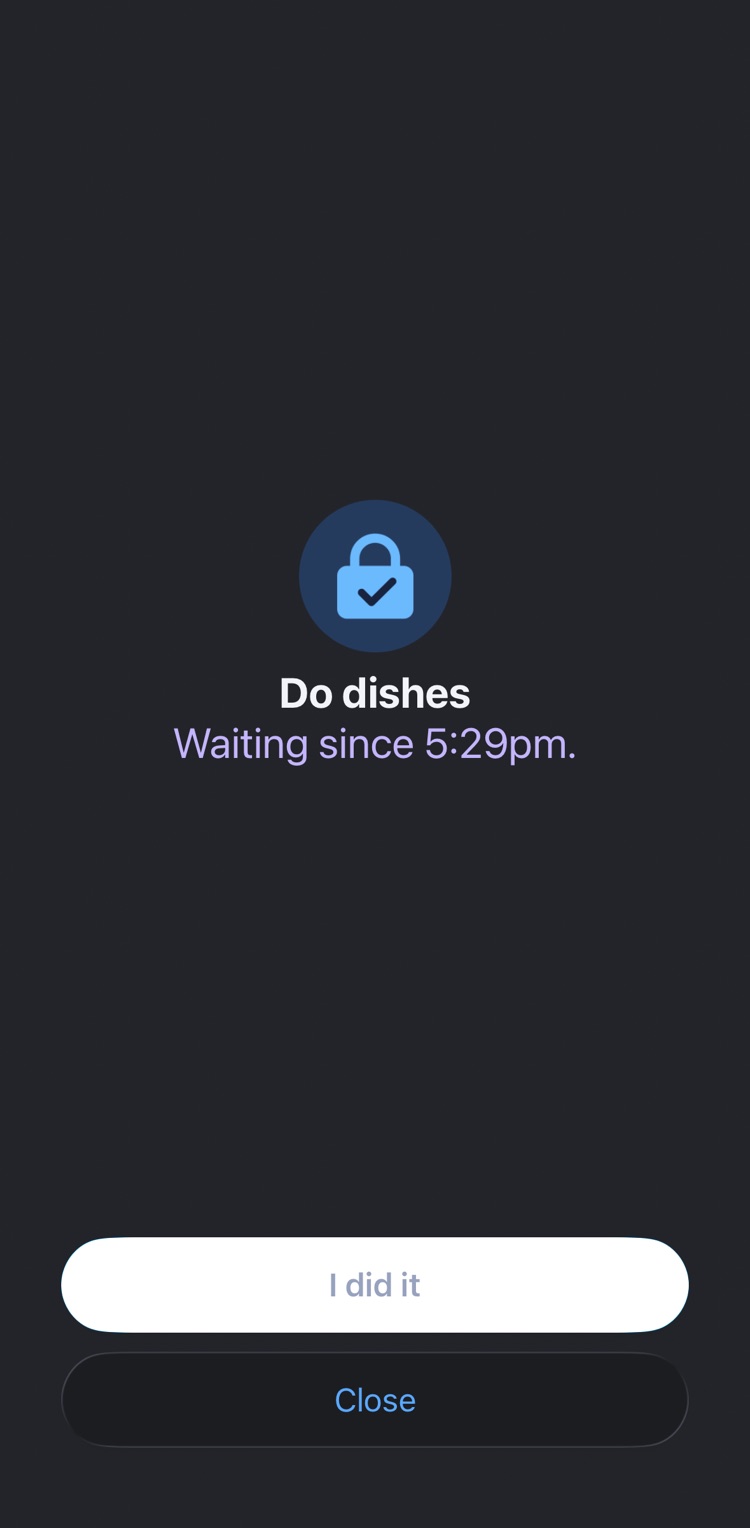
It has two buttons, "I did it" and "Close". The block screen can't open RemindLock directly, so "I did it" posts a notification, and tapping that opens RemindLock on that chore's resolve screen. "Close" just closes the block screen, and TikTok stays locked until the chore is dealt with.
It shows the first tiny step if you set one, otherwise the title.
When a chore keeps getting moved
"Can't do it now" lets you pick a new time at least 15 minutes out and say why, twice per occurrence.
On the third try RemindLock asks, in the spec's exact words, "You've moved this 3 times. Make it smaller, or drop it?" For example, shrink "Clean the kitchen" to "Wipe the counter". For a repeating chore, the smaller version carries on to future occurrences.
Dropping is always available: type "I'm dropping" plus the title; it's a decision, not a failure. Moves are information, not failure, kept kind on purpose.
It locks your phone, not your kid's
RemindLock uses Apple's Screen Time for individuals, so it locks the iPhone it's installed on, yours. It isn't a parental-control app, and it can't lock a child's device.